
Which TV Should I Buy on Jumia Kenya?
Buying a TV online can be surprisingly difficult. You open Jumia Kenya and find dozens of brands, screen sizes, Smart TVs, Android TVs, Google TVs, 4K models and budget options. At first, many of them can look almost identical.
The big question is: Which TV should you actually buy on Jumia Kenya?
The answer depends on your budget, room size, viewing habits, preferred apps and the features that matter most to you. A good TV for a small bedroom may not be the right choice for a large living room.

This guide will help you compare TVs before placing your order. Whether you are looking for a 32-inch Smart TV, 43-inch TV, 50-inch 4K TV, 55-inch Smart TV or a larger screen, here are the important things to check.
What Should You Look for When Buying a TV on Jumia Kenya?
Before choosing a particular model, don't focus only on the price. A cheaper TV isn't necessarily a better deal if it lacks the features you need.
Consider these factors:
- Screen size
- Display resolution
- Smart TV operating system
- Picture quality
- Sound quality
- HDMI and USB ports
- Wi-Fi connectivity
- Bluetooth
- Warranty
- Seller reputation
- Return and delivery options
- Availability of spare parts and service
1. Choose the Right TV Screen Size
Screen size is one of the first things you should consider.
A huge TV may look impressive in a product photo, but it might not be practical for a small bedroom. Similarly, buying a very small TV for a large living room can make watching movies or football less enjoyable.

32-Inch TVs
A 32-inch TV can work well for:
- Bedrooms
- Small apartments
- Kitchen areas
- Children's rooms
- Small rental houses
If you mainly watch local channels, YouTube and occasional movies, a 32-inch Smart TV can be sufficient.
43-Inch TVs
A 43-inch TV is a popular middle-ground option.
It can work well in:
- Medium-sized living rooms
- Bedrooms
- Apartments
- Small family rooms
If you want something larger without spending as much as you would on a 55-inch model, 43 inches is worth considering.
50-55 Inch TVs
If you have a reasonably large living room, a 50-inch or 55-inch TV can provide a more immersive viewing experience.
These sizes are particularly attractive if you regularly watch:
- Football
- Netflix
- YouTube
- Movies
- Gaming
- TV series
65 Inches and Above
Large TVs can make sense if you have a spacious room and sit far enough from the screen.
Don't buy a very large TV simply because it looks impressive in an online product photo. Consider your available space first.
2. Should You Buy a Smart TV?
For most people buying a new TV today, a Smart TV makes sense.
A Smart TV can connect to the internet and allow you to use compatible streaming applications without purchasing a separate streaming device.
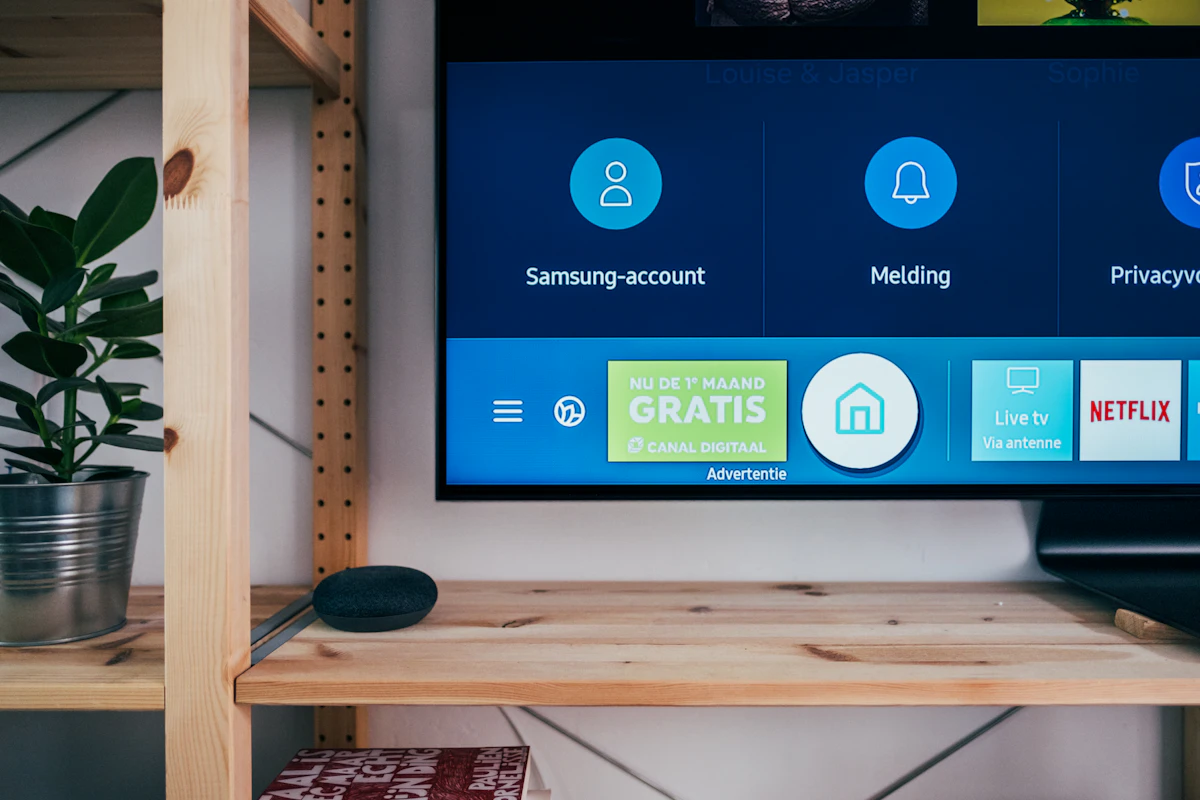
Depending on the model and software, you may be able to access services such as:
- YouTube
- Netflix
- Prime Video
- Other streaming services
- Web-based services
However, check the actual operating system and available applications before buying.
Not every TV described as "Smart" provides the same experience.
3. Android TV vs Google TV
You may notice Android TV and Google TV while browsing TVs online.
They are related platforms, but the user experience can differ.
Instead of choosing a TV simply because the listing says "Android" or "Google," check:
- Operating system version
- Available apps
- RAM and storage where specified
- Processor information if available
- Software update support
- Remote-control features
4. Is 4K Worth Paying More For?
4K resolution has become common in medium and large TVs.
A 4K TV has a resolution of approximately 3840 × 2160 pixels, giving it four times as many pixels as Full HD.
That can produce a sharper image, especially on larger screens.

When Does 4K Make Sense?
Consider 4K if you:
- Want a 50-inch or larger TV
- Watch high-resolution movies
- Use streaming services that offer 4K content
- Connect a modern gaming console
- Want your TV to remain useful for several years
For a small 32-inch TV, you may not notice as much difference between Full HD and 4K from a normal viewing distance.
5. Don't Ignore the Picture Quality
Two TVs can both advertise themselves as "4K Smart TVs" while producing noticeably different pictures.
Look at more than resolution.
Check whether the manufacturer provides information about:
- HDR support
- Brightness
- Contrast
- Panel type
- Refresh rate
- Picture processing
- Viewing angles
If you mainly watch football or action movies, motion handling can be particularly important.
6. Check the Refresh Rate
You may see TVs advertised with refresh rates such as 50Hz, 60Hz, 100Hz or 120Hz, depending on the market and manufacturer.
A higher native refresh rate can be useful for fast-moving content and gaming.
But be careful with marketing terminology. Some manufacturers use terms such as "Motion Rate" or similar technologies that aren't the same thing as the panel's native refresh rate.
7. How Many HDMI Ports Do You Need?
HDMI ports are easy to overlook until you run out of them.
You might eventually connect:
- Decoder
- PlayStation or Xbox
- Soundbar
- Laptop
- Streaming device
- Blu-ray player
A TV with only one or two HDMI ports can become inconvenient.
Before buying, check the product specifications and count the HDMI connections you are likely to need.
What About HDMI eARC?
If you plan to connect a modern soundbar or AV receiver, HDMI ARC or eARC can be useful.
For ordinary TV speakers, this feature may not matter much.
8. Check USB Ports
USB ports can be useful for connecting storage devices and other compatible equipment.
For example, you might use a USB port to play supported media files from a flash drive.
Some TVs have one USB port while others have two or more. If you regularly use USB devices, check this before ordering.
9. Consider Wi-Fi and Bluetooth
A Smart TV needs reliable internet connectivity for online services.
Most modern Smart TVs support Wi-Fi, but specifications can vary.
Bluetooth can also be useful if you want to connect compatible:
- Wireless headphones
- Bluetooth speakers
- Game controllers
- Other accessories
10. Think About Sound Quality
A TV can have an excellent picture but disappointing sound.
This is especially common with very thin televisions, where there is limited space for speakers.

If you want a cinema-style experience, you can later add a compatible soundbar or home-theater system.
11. Which TV Brand Should You Buy?
There isn't one TV brand that is automatically right for everyone.
Instead, compare the specific model you are considering.
Brands commonly encountered in the Kenyan TV market include:
- Samsung
- LG
- Hisense
- TCL
- Skyworth
- Vitron
- Syinix
- Xiaomi
- Other local and international brands
The important point is to compare specifications, warranty, seller information and after-sales support rather than choosing a TV based only on the logo.
12. Check the Jumia Seller Before Buying
One of the biggest mistakes shoppers make is looking only at the TV.
On a marketplace, the seller matters too.

Before placing an order, look at:
- Seller rating
- Number of completed orders
- Customer reviews
- Product ratings
- Return policy
- Warranty information
- Delivery information
Read recent customer reviews where available. Don't rely on a single five-star review. Look for patterns in what multiple buyers are saying.
13. Pay Attention to the Warranty
A TV is a relatively expensive electronics purchase, so warranty information matters.
Before ordering, check:
- Warranty duration
- What the warranty covers
- Who provides the warranty
- Where warranty claims are handled
- Whether the warranty applies to the exact model you're buying
Keep your order information and purchase documentation after delivery.
14. Don't Buy a TV Based Only on the Discount
Online shopping platforms often display discounts and previous prices.
A large percentage discount can attract attention, but it doesn't automatically mean you've found the best deal.
Instead, compare:
Price + specifications + warranty + seller + reviews + features
15. What TV Should You Buy Based on Your Budget?
If You Have a Small Budget
Consider a basic 32-inch Smart TV.
Focus on:
- Reliable Smart TV functionality
- Good connectivity
- Warranty
- Seller reputation
- Acceptable picture quality
If You Have a Mid-Range Budget
A 43-inch or 50-inch Smart TV may offer a good balance between screen size and features.
Look for:
- Full HD or 4K resolution
- Good Smart TV software
- Multiple HDMI ports
- Wi-Fi
- Bluetooth
- Warranty
If You Have a Larger Budget
You can consider a 55-inch, 65-inch or larger 4K Smart TV.
At this level, pay more attention to display technology, HDR support, refresh rate, sound, operating system and connectivity.
16. TV Buying Checklist
Before clicking the order button, run through this checklist.
TV Features
- ☐ Correct screen size
- ☐ Suitable resolution
- ☐ Smart TV functionality
- ☐ Wi-Fi
- ☐ Bluetooth if required
- ☐ Enough HDMI ports
- ☐ Enough USB ports
- ☐ Suitable audio output
- ☐ HDR support if important to you
Seller Information
- ☐ Good seller rating
- ☐ Genuine-looking customer reviews
- ☐ Clear product specifications
- ☐ Warranty information
- ☐ Return information
Your Room
- ☐ Enough space for the TV
- ☐ Suitable viewing distance
- ☐ Suitable TV stand or wall mount
- ☐ Convenient power connection
- ☐ Reliable internet connection for Smart TV features
17. What Mistakes Should You Avoid?
Buying the Wrong Size
Measure your available space before ordering.
Choosing Only by Brand
A famous brand doesn't automatically mean every model is right for your needs.
Ignoring the Operating System
A Smart TV is only as useful as the software and applications it supports.
Forgetting HDMI Ports
Think about all the devices you may connect in the future.
Ignoring the Warranty
Always understand what happens if the TV develops a problem.
Not Reading Reviews
Customer feedback can reveal practical issues that aren't obvious from the product description.
Frequently Asked Questions
Which is the best TV to buy on Jumia Kenya?
There isn't one TV that is best for every shopper. Your choice should depend on your budget, room size, screen size, Smart TV requirements, picture quality preferences and warranty.
Is it safe to buy a TV on Jumia Kenya?
Online marketplace purchases can be convenient, but you should check the seller, customer reviews, product specifications, warranty and applicable return conditions before ordering.
Should I buy a 32-inch or 43-inch TV?
A 32-inch TV can be suitable for a bedroom or small room, while a 43-inch model may be more suitable for a medium-sized living room. Your available space and viewing distance should guide the decision.
Is a 4K TV worth buying?
For medium and large screens, 4K can be worthwhile, particularly if you watch high-resolution content or use modern gaming equipment. However, you should also consider the TV's overall picture quality and features.
Should I buy an Android TV or Google TV?
Both can provide Smart TV functionality, but the user experience and available features depend on the specific model and software version. Check the exact specifications before buying.
What should I check before ordering a TV online?
Check the screen size, resolution, operating system, HDMI ports, USB ports, Wi-Fi, Bluetooth, seller rating, customer reviews, warranty and return information.
Final Thoughts: Which TV Should You Buy?
The right TV isn't necessarily the most expensive model or the one with the biggest discount.
Instead, look for a TV that matches your room, budget and viewing habits.
If you have a small room, a 32-inch or 43-inch Smart TV may be enough. For a larger living room, consider a 50-inch or 55-inch 4K model. If you're interested in gaming or high-quality movies, pay closer attention to refresh rate, HDR, HDMI features and picture quality.
Most importantly, compare several models before making your final decision. Check the seller, read customer reviews and confirm the warranty.
Taking an extra 10 minutes to compare specifications can save you from an expensive mistake.
Ready to Compare TVs?
Check the available TV models, compare their specifications and choose one that fits your budget and room.
Compare TVs on Jumia KenyaIf you're shopping for a TV, don't ask only, "Which TV is cheapest?"
Ask instead:
"Which TV gives me the features I actually need for the money I'm spending?"
That's a much better way to shop.
Check Is Jumia Kenya Legit and Safe to Buy From? Review


0 Comments